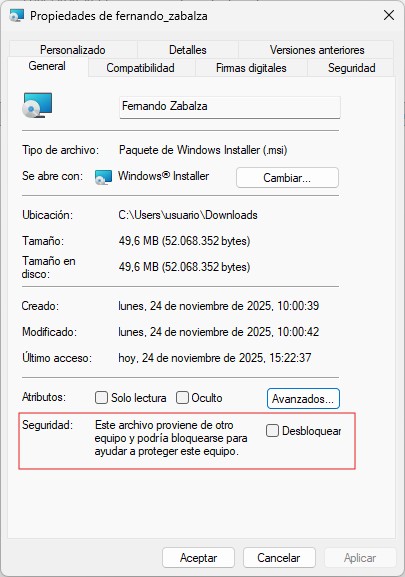
En ocasiones el cambio o aplicación de políticas de red en carpetas compartidas puede llegar a dejar sin permisos documentos que anteriormente si eran accesible, sobre todo en vista previa. Este comportamiento en cuanto a seguridad y actualizaciones de Microsoft en entornos de empresa son necesario revisarlos… pero si al final tenemos que desbloquear ficheros de manera recursiva… vamos a echar mano de algún script en powershell…
Se pueden añadir más extensiones, pero se utiliza para PDF, Word y Excel…
<#
Este script está disponible bajo la licencia MIT.
Copyright (c) 2025 Kaizen Development Solutions.

Se permite el uso, copia, modificación y distribución del software
siempre que se mantenga este aviso de copyright y la referencia a la
licencia MIT. El software se proporciona "tal cual", sin garantías de
ningún tipo. Para más detalles consulte el archivo LICENSE del
repositorio.

.SYNOPSIS
Desbloquea (quita el "Unblock") a ficheros PDF, Word, Excel y PowerPoint.
En PowerShell 5 puede dar problemas con rutas largas

.EXAMPLE
.\Desbloquear-Docs.ps1

Usa el directorio actual, pide confirmación y desbloquea los archivos.

.EXAMPLE
.\Desbloquear-Docs.ps1 "C:\Carpeta\Documentos"

Procesa esa ruta sin preguntar.
#>

param(
    [string]$Path
)

function Test-IsBlocked {
    param(
        [Parameter(Mandatory)]
        [string]$FilePath
    )

    try {
        # Si existe el stream Zone.Identifier, el archivo está bloqueado
        $stream = Get-Item -LiteralPath $FilePath -Stream Zone.Identifier -ErrorAction SilentlyContinue
        return ($null -ne $stream)
    }
    catch {
        return $false
    }
}

# Devuelve $true si la excepción es un "sharing violation" (archivo en uso)
function Test-IsSharingViolation {
    param(
        [Parameter(Mandatory)]
        [System.Exception]$Exception
    )

    # ERROR_SHARING_VIOLATION = 32 -> HRESULT 0x80070020
    if ($Exception -is [System.IO.IOException]) {
        $h = $Exception.HResult
        if ($h -eq 0x80070020 -or (($h -band 0xFFFF) -eq 32)) {
            return $true
        }
    }
    return $false
}

# Variables globales para la función recursiva
$script:ok      = 0
$script:skipped = 0
$script:fail    = 0

function Process-Directory {
    param(
        [Parameter(Mandatory)]
        [string]$DirectoryPath
    )

    # Enumerar el directorio; si no hay permisos, registrar y salir
    try {
        $items = Get-ChildItem -LiteralPath $DirectoryPath -ErrorAction Stop
    }
    catch {
        $msg = "[Enumeración] Directorio: $DirectoryPath -> $($_.Exception.Message)"
        Add-Content -Path $script:logPath -Value $msg
        $script:fail++
        return
    }

	# Sin -recursive para evitar problemas de enumaracion y permisos
    foreach ($item in $items) {
        if ($item.PSIsContainer) {
            Process-Directory -DirectoryPath $item.FullName
        }
        else {
            $ext = $item.Extension.ToLower()

            if ($script:validExts -contains $ext) {
                $filePath = $item.FullName

                if (Test-IsBlocked -FilePath $filePath) {
                    try {
                        Unblock-File -Path $filePath -ErrorAction Stop
                        Write-Host "[OK]   $filePath"
                        $script:ok++
                    }
                    catch {
                        $ex = $_.Exception
                        if (Test-IsSharingViolation -Exception $ex) {
                            $msg = "[IN USE]       $filePath -> $($ex.Message)"
                        }
                        else {
                            $msg = "[Unblock-File] $filePath -> $($ex.Message)"
                        }

                        Write-Host $msg -ForegroundColor Yellow
                        Add-Content -Path $script:logPath -Value $msg
                        $script:fail++
                    }
                }
                else {
                    Write-Host "[SKIP] $filePath (no bloqueado)" -ForegroundColor DarkGray
                    $script:skipped++
                }
            }
        }
    }
}

# --- Parámetros y confirmación ---
if (-not $Path -or [string]::IsNullOrWhiteSpace($Path)) {
    $Path = (Get-Location).Path

    $respuesta = Read-Host "¿Desea desbloquear los ficheros PDF, Word, Excel y PowerPoint contenidos en el directorio actual `"$Path`"? (S/N)"
    if ($respuesta.ToUpper() -ne 'S') {
        Write-Host "Operación cancelada."
        exit 0
    }
}

# Normalizar ruta
$Path = (Resolve-Path -Path $Path).Path

if (-not (Test-Path -Path $Path -PathType Container)) {
    Write-Host "Ruta no válida: $Path" -ForegroundColor Red
    exit 1
}

Write-Host "Procesando ficheros en: $Path"
Write-Host ""

# Extensiones válidas
$script:validExts = @(
    '.pdf',
    '.doc','.docx','.docm','.dot','.dotx',
    '.xls','.xlsx','.xlsm','.xlsb',
    '.ppt','.pptx','.pptm'
)

# Carpeta de logs en la unidad del PATH
$driveRoot = [System.IO.Path]::GetPathRoot($Path)      # Ej: "E:\"
$logFolder = Join-Path $driveRoot "KDS\logs"

New-Item -ItemType Directory -Path $logFolder -Force | Out-Null

$logName = "UnblockErrors_{0:yyyyMMdd_HHmmss}.txt" -f (Get-Date)
$script:logPath = Join-Path $logFolder $logName

New-Item -Path $script:logPath -ItemType File -Force | Out-Null

Write-Host "Log de errores: $script:logPath"
Write-Host ""

# Lanzar proceso
Process-Directory -DirectoryPath $Path

Write-Host ""
Write-Host "Resumen:"
Write-Host "  Archivos desbloqueados : $($script:ok)"
Write-Host "  Archivos no bloqueados : $($script:skipped)"
Write-Host "  Errores registrados    : $($script:fail)"
Write-Host ""
Write-Host "Log en: $script:logPath"
Actualizado 2021/11/20: inicio repositorio de scripts en Github
Descargar: https://github.com/mainmind83/PowerShell/blob/main/Desbloquear-docs.ps1